Work automation
Enquiries, tasks, documents and reminders move on their own. A person confirms instead of retyping.

// A mini PC with our system inside
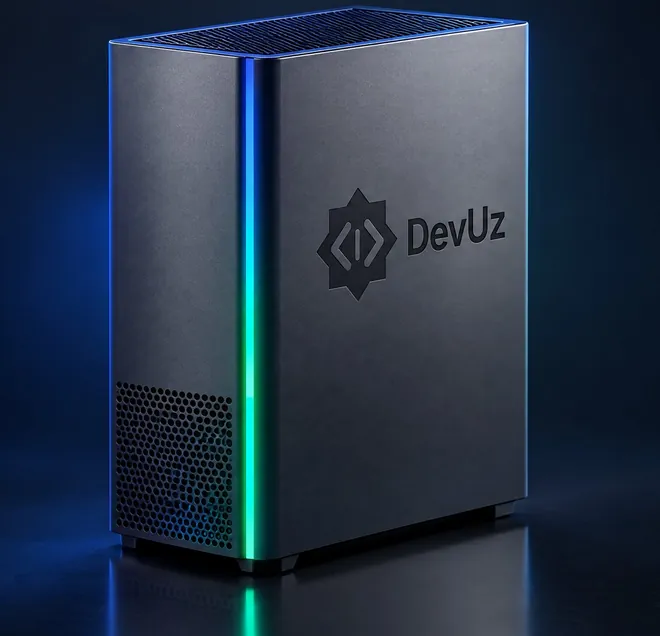
DevUz Box
Plug it into power and the network, and an hour later the whole office is using it: replies to clients, documents, videos for social media, a website or a bot described in plain words. The core runs inside the box, no cloud needed.
Launch: October 2027
This is a plan, not a promise. Dates and specs will be refined after the pilot: from November 2026 the studio runs on the first unit itself for a month.
// Cutaway
Scroll and the box comes apart. We design the case and cooling ourselves so the office stays quiet and the chip does not throttle under long load.
Parts in the frame: 7






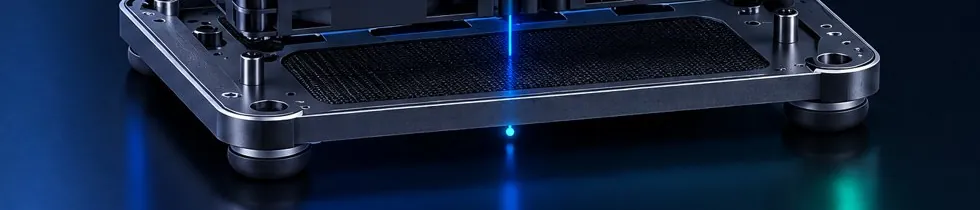
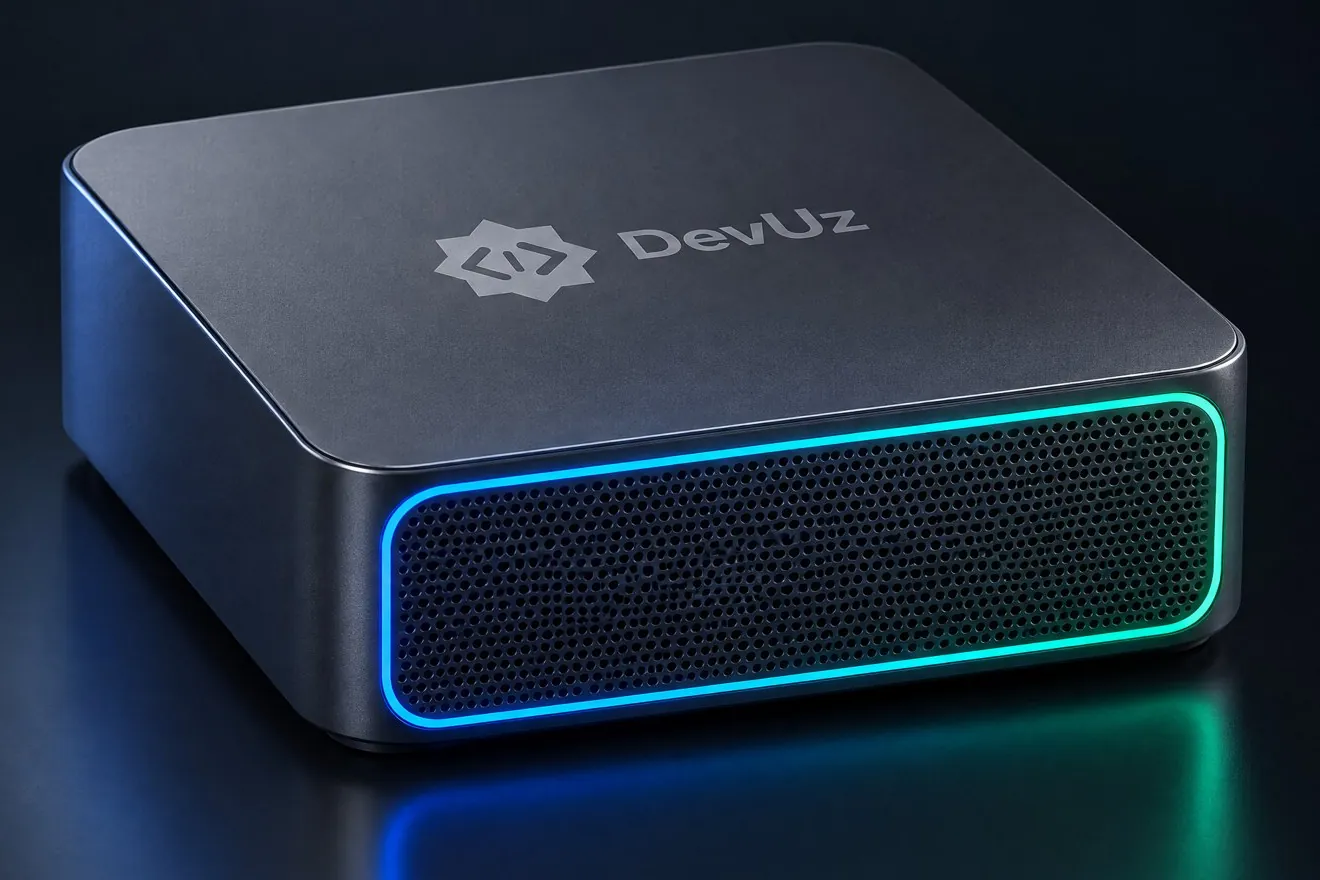
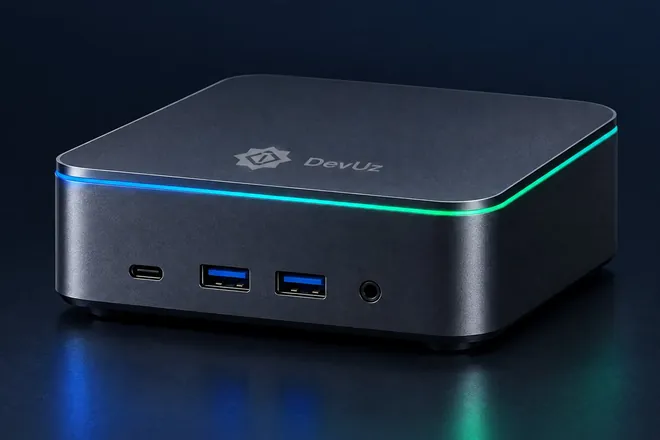
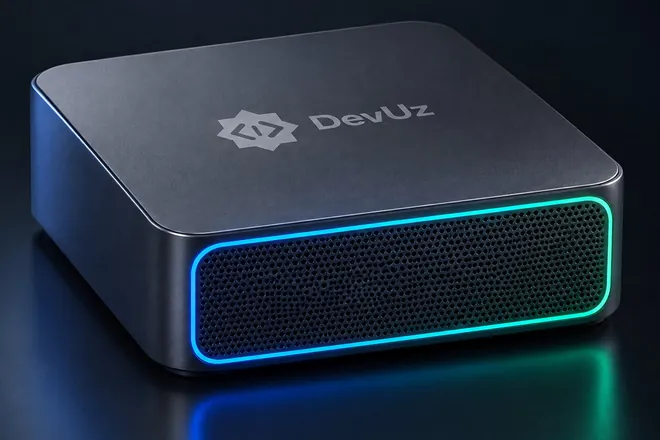
Images: design concept. The first units will ship in off-the-shelf cases.
// Runs on DevUz OS
Inside the box is not a pile of third-party apps but DevUz OS: our own core, our own applications and one screen for everything. The system is built around four jobs.
Enquiries, tasks, documents and reminders move on their own. A person confirms instead of retyping.
Telegram, Instagram, WhatsApp, the website and calls in one window. The AI answers first and walks the client to a manager.
Reels for Instagram and TikTok, images, posts and mailings from a script and on a schedule. No studio, no editor.
A website, a bot, a spreadsheet or a report described in plain words. Describe, preview, publish.
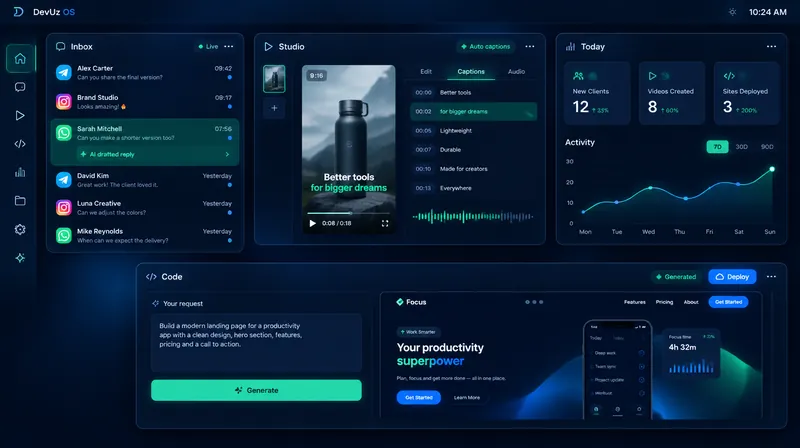
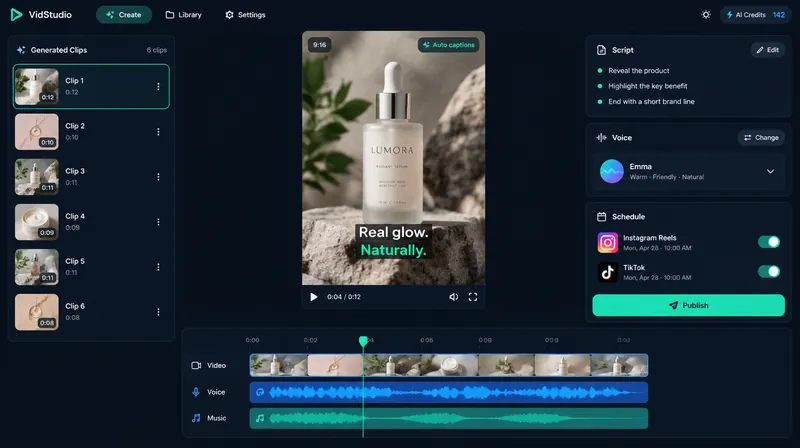
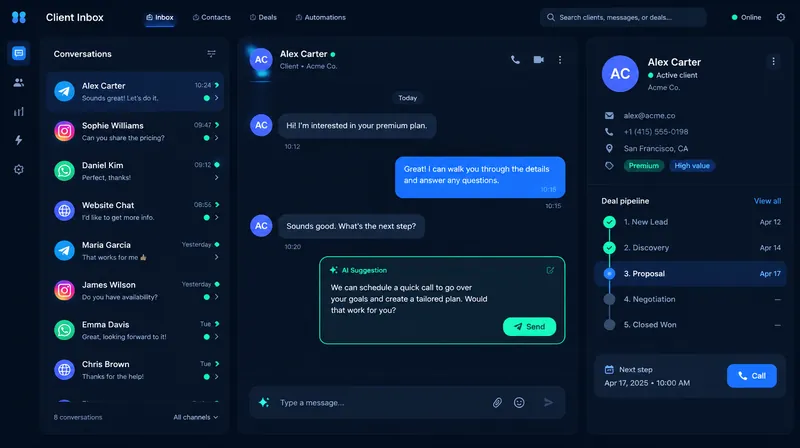
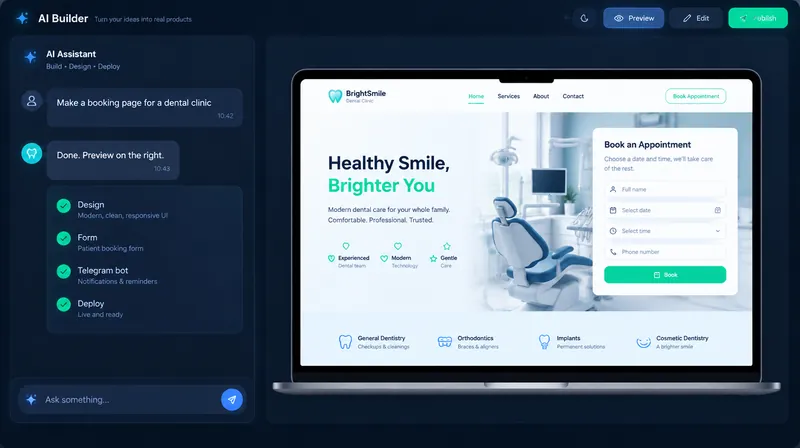
Our own core runs inside the box and updates over the network. We will show how it is built at a demo.
Images: interface concept. Screens will change before launch.
// What it does
Everything runs inside the office. Data never leaves the box.
14 areas
Answers from company documents, writes letters and texts, translates. Each employee sees only their own.
Enquiries from Telegram, Instagram, WhatsApp and the website in one window. The AI answers first, keeps the card and reminds the manager.
Takes and makes calls, writes the outcome into the client card. At night too.
Voice notes and meeting recordings into text: summary, decisions and tasks with owners.
Quotes, invoices, contracts and acts on the company letterhead from one sentence. Search across the whole archive.
Product cards, banners, photo retouching for the website, catalogue and social media.
Reels for Instagram and TikTok from a script: voice-over, captions, scheduled publishing.
Voice-overs for clips, jingles, a voice for the answering machine and ads.
A 3D model from a few photos for the website, catalogue and presentations.
A website, a bot, a spreadsheet or a report described in plain words. For IT teams: an assistant that writes code alongside.
On a schedule they compile reports, check enquiries, write to clients and remind about deadlines.
Watches office or shop-floor cameras, counts visitors, reports anything unusual.
Ready settings for a clinic, a law firm, a shop, an agency, a training centre.
Encryption, backups, roles, network updates. The support channel switches off with one button.
Some of these already run in the cloud for the studio and its clients and are moving into the box. The rest arrives on the way to launch; the line-up by model is below.
// Four models
They differ in memory for the core, reply speed and what they handle beyond chat and documents. In all of them the data stays in the office.
A small office, a doctor's practice, a notary
Prices will be announced at launch
 Pilot
A clinic, a law firm, a trading company
Prices will be announced at launch
A marketing agency, a content studio, a company with an archive of long documents
Prices will be announced at launch
A branch network, a public body, a call centre, a production house
Prices will be announced at launch
Speed: published measurements on the same hardware, we will take our own on the pilot box. The line-up by model is a plan and will be refined after the pilot.
// Data stays in the office
The box is in your office, not in someone else's data centre. The AI needs no internet to work.
Carry the box away without the key and nothing inside can be read.
Nightly copies to a second drive. One fails, the data lives.
The core and software arrive over the network. The channel switches off with one button.
A manager does not see salaries, an accountant does not see client chats. To each their own.
// Roadmap
Everything below is a plan. We mark what is already under way.
November and December 2026
One Pro. The studio runs on it itself for a month: voice notes, document search, team chat. We write down what broke.
Under way now
Q1 2027
System image, control panel, watchdog, network updates, backups. Installation without a specialist.
Q2 2027
Clinics, lawyers, accountants, agencies: those who cannot hand data to someone else's cloud.
Q3 2027
Our own case and cooling instead of off-the-shelf ones. Round terms: on request.
October 2027
Four models. Prices announced at launch.
// Questions
The core updates over the network: a stronger one comes out, a stronger one goes in. If a task is bigger than the box, a cloud core can be connected, but then data leaves the office. That is switched on only by your decision, and we say so plainly.
Data sits in copies on a second drive, and a UPS comes in the kit. We replace the box and move the data. Support connects over a secure channel you can switch off.
Not for the AI inside the office: chat, documents, search, images and voice work offline. The internet is needed for messengers, social media publishing, the website and updates.
In the cloud you pay for every request and the data sits with the provider. The box is bought once, the data stays with you, and speed does not depend on the connection.
// Waiting list
Leave a contact. We will write when pre-orders open and invite you to see the pilot box. No newsletters.